Real night vision.
Real depth.
Most "night vision" apps are a green tint over your camera feed. This one drives the back camera's actual long-exposure mode — max ISO + 1/8 s shutter — so you genuinely see more in the dark. Plus three other real sensors.
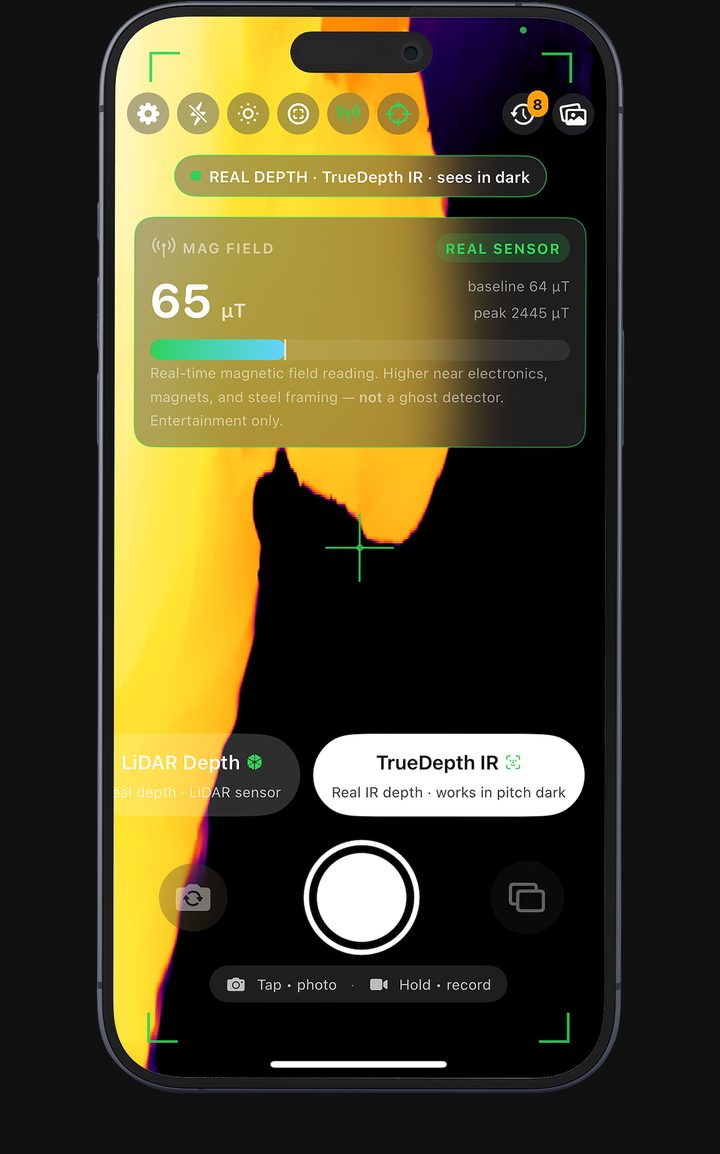
Sensors. Not just shaders.
Every other night-vision app on the App Store is a green color filter over your live camera. We use four genuine iPhone hardware capabilities — each clearly labelled in the app so you always know what's measured and what's a creative effect.
Night Vision
Custom AVCaptureDevice exposure: max ISO + 1/8 s shutter. Genuine residual-light amplification.
LiDAR Depth
ARKit sceneDepth on iPhone Pro & iPad Pro. The colors map measured distance — not heat.
TrueDepth IR
Repurposes the front Face ID infrared dot projector. Works in pitch darkness — out to ~1.5 m.
Magnetic Field
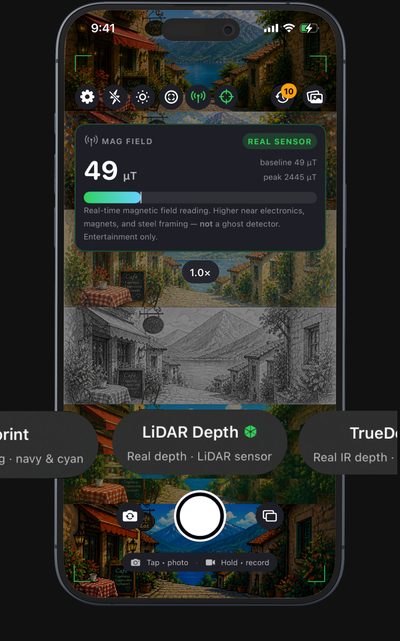
Live μT readings from the device magnetometer. Real physics — not a ghost detector.
What's real. What's a filter. Always labelled.
Apps that claim "thermal vision" or "see through walls" on a stock iPhone are lying. Your iPhone has no thermal sensor and no x-ray emitter. Here's what we actually do.
Filters
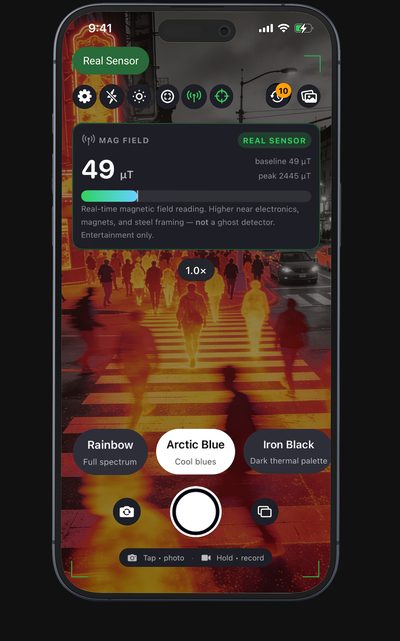
Thermal palettes, X-Ray, Predator, UV Vision — these are creative shaders computed from your camera's brightness and edges. The same way any photo filter works.
- Fun to use, great-looking.
- Don't use them to find pipe leaks, hot spots or hidden objects.
- Every filter mode is clearly marked.
Real sensor data
Four features in the app actually read your iPhone hardware.
- Night Vision drives long-exposure custom AVCaptureDevice mode.
- LiDAR Depth reads ARKit
sceneDepthon Pro models. - TrueDepth IR uses the Face ID infrared projector.
- Magnetic field meter taps the magnetometer in μT.
What you actually see.
Real captures from the app. Every shot is the live UI — chrome included so you can see exactly what the controls look like in your hand.
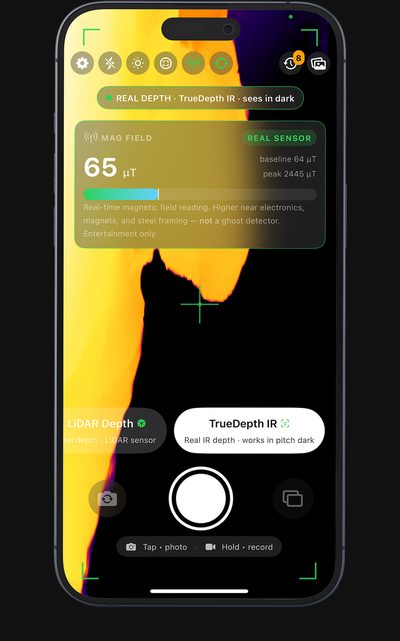
Sees in pitch darkness via Face ID's IR projector.
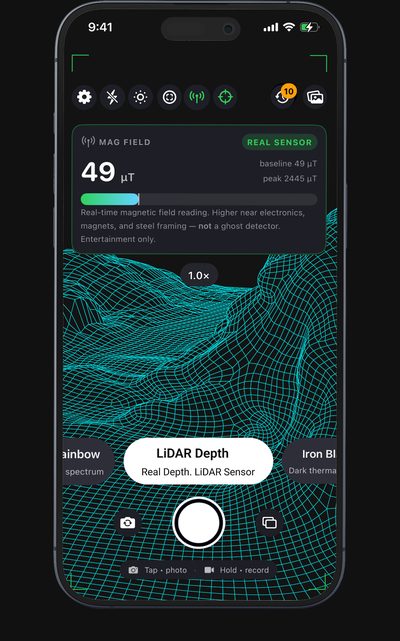
ARKit sceneDepth wireframe from your iPhone Pro's LiDAR.
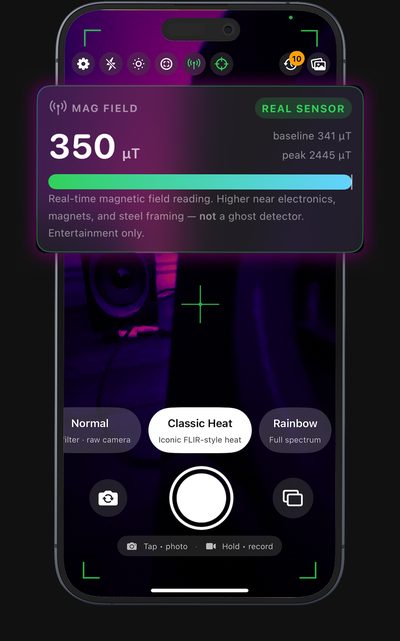
Live μT reading from the device magnetometer.
Thermal palettes, X-Ray, UV, Predator, Neon and more.
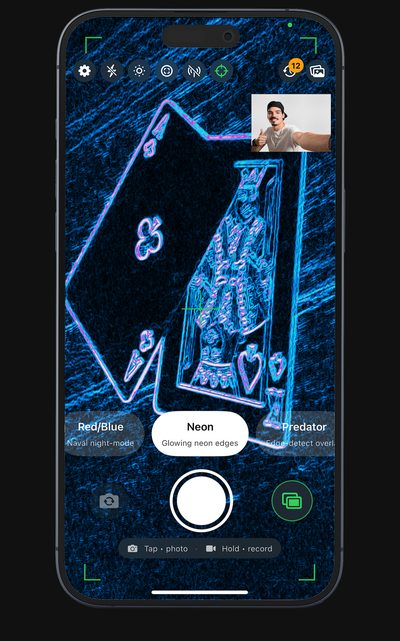
Back + front simultaneously, drag the PiP anywhere.
Swipe through every mode — real and filter alike.
Real Night Vision vs the rest.
Every other top-ranked night-vision app on the App Store is a single feature — usually green-tint plus a 6-tier upsell ladder. We're four real capabilities at one transparent price.
| Feature | Real Night Vision | Typical competitor |
|---|---|---|
| Real long-exposure low-light mode | ✓ Yes | — Green-tint shader only |
| LiDAR depth (Pro models) | ✓ ARKit sceneDepth | — Rare |
| TrueDepth IR (Face ID camera) | ✓ Pitch-dark capable | — Rare |
| Magnetic-field meter | ✓ | — |
| Honest disclaimer card | ✓ Built-in | — |
| Pricing tiers | One — Pro | 5–6 monthly + lifetime upsell |
| App size | ~8 MB | 40–140 MB |
| Tracking | None | Often |
Pro-grade capture, every mode.
4K Video
3840 × 2160 on supported devices. Falls back to 1080p otherwise.
Slow-motion
240 fps high-frame-rate capture where the device supports it.
Time-lapse
One frame every N seconds, played at 30 fps. Pro feature.
RAW DNG
Saves an editable raw negative alongside the filtered JPEG.
Pro Camera
Manual ISO, shutter, focus sliders. iPhone-camera-quality controls.
Histogram HUD
Real-time luminance distribution monitor for exposure.
Hardware capture
Volume buttons, iPhone 15 Pro Action button, iPhone 16 Camera Control.
Dual camera
Picture-in-picture with the front camera. Composites into video.
FAQ
Is the night vision actually real, or just green?
Real. When you pick Night Vision the app puts the back camera into custom exposure mode at maximum ISO and 1/8 s shutter — same approach a photographer would use for low-light long exposure. You see more in the dark, not just a green tint. Hold the device steady; frame rate drops to ~8 fps while active.
What's "TrueDepth IR" mode?
The infrared dot projector built into the Face ID camera on every supported iPhone. It works in complete darkness because IR light is invisible to your eye but visible to the IR sensor. Range is about 1.5 m — designed originally for face authentication, repurposed here to give you a depth-tinted view of whatever's in front of the front camera.
Can I see through walls or detect pipe leaks?
No. Your iPhone has no thermal sensor and no x-ray emitter. The Thermal, Predator and X-Ray modes are creative shaders — fun to use but not measurement tools. We mark every filter as a filter and every real-sensor mode as real, so there's no ambiguity.
What devices does LiDAR depth work on?
iPhone 12 Pro / Pro Max and later Pro models, plus iPad Pro 11"/12.9" 2020 and later. The mode tile shows "No LiDAR on this device" if you tap it on a non-LiDAR iPhone.
Do you track me?
No. There's no analytics SDK in the app, no tracking pixel, no third-party network calls beyond what's needed for App Store purchases (StoreKit / Adapty for receipt validation). The privacy policy spells it out in plain language.
What does Pro unlock?
The four real-sensor modes (Night Vision, LiDAR Depth, TrueDepth IR), the Pro Camera manual controls, RAW DNG capture, time-lapse, slow-motion, 4K video, and the tactical HUD overlays. One transparent price — no five-tier upsell ladder.